How About Orange
Showing posts sorted by relevance for query cards. Sort by date Show all posts

June 27, 2013

DIY foil cards: a better method

DIY metallic foil cards
Yesterday I wrote about my ongoing experiments with laser transfer foil and an iron. Results were hit or miss. A lot of miss, actually. I'd been curious what would happen if, instead of fusing the foil to a laser print with my iron, I used my printer to do it (a Brother HL-5250DN). A representative from the company where I ordered the foil, PulsarPro FX, said a laser printer probably wouldn't work for a variety of reasons. They recommend a particular kind of laminator, but I've been too cheap to buy one. Last night I figured I'd try the printer anyway and crossed my fingers that the foil wouldn't get jammed up inside. The verdict: it worked WAY better than an iron.

I have a multi-colored pack of foils— click here and scroll down to "Foil Sampler Pack." That's the one. Or you could buy the "Individually Wrapped TRF" if you want to save some money and just get one color to test first, which is how I started. If you're outside the US, start here to find a vendor, then choose your product.

Here's the process.

First I requested Alex's permission to possibly destroy our printer. Got it, with just a "please be careful" admonishment.

How to make DIY metallic foil cards
Then I made a design in Illustrator and laser printed it on cardstock.

How to make DIY metallic foil cards
Next I cut a piece of foil and laid it over the design. I taped all the way along the edge that goes into my printer first and put a shorter piece on the other two corners to hold them down. Hard to see here, sorry.

Tips: Make sure the foil is cut large enough that your tape doesn't cover any part of your design or you'll probably have trouble getting the foil to stick in that area. Make sure you don't get wrinkles in the foil; smooth it down down when taping.

How to make DIY metallic foil cards
I put the taped-up cardstock back in my printer tray, positioned as if I were going to reproduce the print again on the same side. But this time, I printed a blank document. As the cardstock ran through the printer again, the foil became fused to any toner on the page.

How to make DIY metallic foil cards
Then I peeled off the loose foil; it only sticks where there's toner. The print above isn't too shabby.

How to make DIY metallic foil cards
But this here print IS shabby. And not in a chic way. I found that some cardstock works and some doesn't. No idea why; so aggravating. Update: Coated cardstock yields good results! Uncoated cardstock does not.

How to make DIY metallic foil cards
My white cardstock worked really well. Here's a print with copper foil adhered in a confetti design, inspired by that trend in metallic wall treatments.

Metallic foil card tutorial at How About Orange
Here's more copper in a houndstooth pattern.

DIY metallic foil card by Jessica Jones
Here's an origami unicorn I designed for another project, foiled in red. Fabulous!

So no more ironing. I'm using the laser printer from now on.

November 05, 2010

Printable calling card freebie

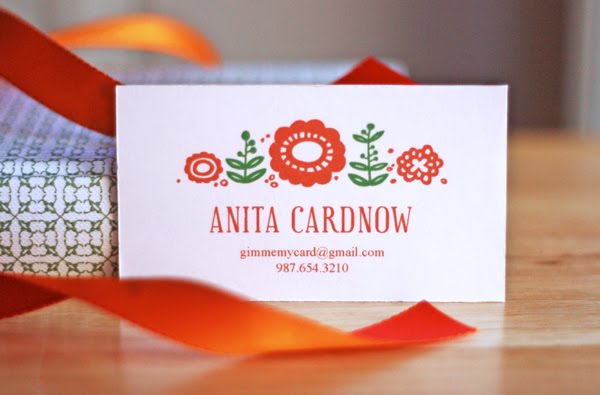
Just for fun I've made you a template for a personal calling card. Apparently social calling cards are making a comeback, so you might want to print up a few to hand out at parties, moms' play groups, to new neighbors, or tuck them into your Christmas cards if you've updated your contact info.

In case you don't like orange because there's something wrong with you, there are two other colors to choose from.

Download orange cards, blue cards, or burgundy cards.

Each design is a PDF file with editable fields for typing. After saving the file to your computer, open the PDF in Adobe Reader (free right here if you don't already have it), type in your information, and print at 100% on a sheet of white cardstock. Trim with an X-acto knife or scissors, using the crop marks as guides. The font used in the name field is Euphorigenic, a free download at MyFonts.com. If you don't feel like going to the trouble of fetching it and installing it on your machine, your computer will substitute a font that might be tolerable to you.

(These cards are for personal use only; please don't try to sell the design, decorate your website with it, etc.) Enjoy!

June 01, 2011

Printable business card freebie

I've whipped up another printable template for use as calling cards or business cards. This time it's an argyle motif, so put on your sweater vest and nerd glasses and help yourself.

Choose from orange cards, pink cards, or blue cards.

To use them:
1. Click a link above and save the PDF to your computer. The file may take a moment to download, so please don't hyperventilate if your browser window remains blank for a moment.
2. Optional: The fonts used in the card design are Serif 6 Bold and Regular, available for free right here from Betatype. Download the .zip file and install these fonts on your machine (see here for how to install fonts). If you're not that picky, you can choose not to install the fonts. In that case, your computer will substitute a font when you open the file and it might look just fine.
3. Open the PDF in Adobe Reader (free) and type your information in the text fields.
4. Save.
5. Print the file at 100% on a sheet of white cardstock. Trim with an X-acto knife or scissors, using the crop marks as guides.

For a different card design, click here!

July 29, 2010

Giveaway: Uprinting business cards and canvas print

Uprinting.com is an online printing company I've used before with good results. Now Uprinting is offering a giveaway for How About Orange readers. One lucky person can win:

One 16x20 gallery wrapped canvas print—print a special photograph, make a sign for inside your shop, print your own art, you name it. Your artwork will be printed on thick, high-quality canvas with a matte finish and an eco-friendly protective satin coating.

Two sets of 500 premium business cards—that means you get to choose from Uprinting's square, slim, or standard-sized cards printed full color both sides on your choice of gloss, matte, or uncoated recycled cardstock. You can use one of their templates or upload your own design. If you don't have a business to promote, you can always make cards with your blog address or put your personal contact information on them. I hear that calling cards have become quite trendy again. Or just print a photo or artwork on them and hand them out as mini portfolio pieces.

To enter the random drawing, leave a comment on this post by Saturday, July 31 at midnight CDT. Limited to US residents only, 18 years old and above. Be sure to include a link or other way to contact you. The winner will be contacted and announced in this post.

Update: Giveaway is now closed. The winner is Jessie B., commenter #206!

May 29, 2013

DIY stitched greeting cards


Recently I stumbled across Stitching Cards, a site that sells downloadable e-patterns for embroidered greeting cards and bookmarks. Most patterns are a dollar or two, or you can raid the freebie section for some floral designs and an alphabet. I've seen 70s-style string art making a comeback on Pinterest— with these, you can try something similar on a small scale.


If you dig the idea of stitched cards but don't have the patience to do it yourself, check out Jeni Shirley's line of paper-and-thread creations. A source of inspiration!

February 14, 2014

DIY papercut greeting cards with template


I wanted to make some cards that would be simple to cut with an X-acto knife, and straight lines are the fastest. So I made a template for an outer frame to cut from card stock, and then set up some interchangeable messages that can be printed on colored paper and inserted for various occasions.


To make your own, download the PDF with the cover template and messages, then print out the pages you need. If you prefer to use a digital cutting machine, the .dxf file (cover only) might work for you.

Download the full PDF here.
Download the .dxf cover here.

Cards are 5" x 7" and fit on an 8.5" x 11" sheet.


To cut the cover for the cards by hand, print the cover template on regular computer paper. Tape it to a piece of sturdy card stock around the edges to hold it in place. Using an X-acto knife and a straight edge, cut along the lines through both sheets of paper. I cut all the long lines first, then went back and cut the short lines.


Remove the computer paper and pop out the pieces, freeing any stuck bits with your knife. Then score the card along the center and fold in half.


Cut a printed insert to size, fold it in half, and stick it inside the cover with a line of glue or strip of double stick tape along the top inside back.

Happy Valentine's Day, and have a lovely weekend, all!

April 16, 2008

Business card box made of business cards

I discovered instructions for making a six-sided cube from business cards. It results in weird flaps on the outside, so I modified it to make the box above.

For this box, you'll need 5 business cards and 4 pieces of double-stick tape. Follow the folding instructions here, but fold 5 cards instead of 6. (You don't need a top piece.) Follow the assembly instructions, but make sure all of your flaps stay to the inside instead of the outside. Use tape to stick down the two loose flaps on the inside bottom and the two side flaps at the top.

June 05, 2013

Free, printable Father's Day cards


To go with yesterday's bottle tags, I made matching printable Father's Day cards. Choose from three color / text combinations:

Download the blue card
Download the red card
Download the brown card

After folding, cards are 4.25" x 5.5" and fit in a standard A2 envelope.

July 20, 2011

Printable recipe cards

A take-off on the iconic "I love NY" logo, this "I love my food" recipe set from Scissors Paper Wok is a nifty download. Print your own cards for soup, salad, sauce, baking, roast, drink, dessert, bread, breakfast, main dish and side dish. Though if I had my way, I'd eat only bread and dessert, but I've heard you're not supposed to do that. Get the cards right here.

November 01, 2012

DIY postcard wall art

I made something new for the living room: a big collage of postcards mounted on foam board.

This boxed set of 100 vintage Penguin book cover postcards was on the clearance table at Anthropologie a couple weeks ago. I had to have it. I love books. I love the cover designs, and I love the color palette. They were too good not to display somehow. You can also get them here from Amazon.

I decided to lay out my favorites on the biggest piece of foamcore I could find at my local art store (30"x40" for $5). It seemed more interesting to give the collage a 3D look with postcards coming forward at different heights. So I cut some small pieces of foam board and stacked them to create "risers" for some of the cards. I used one, two, or three layers to vary the depth.

I stuck the foam pieces together and attached the postcards to the board with double-sided ATG tape I had on hand. It was better than wet glue which could warp the postcards.

I could have measured and cut the foam board to the precise size before sticking on the postcards, but I wanted to be certain of having a perfectly trimmed edge that was flush with the cards. So I opted to trim the board after seeing where the postcards ended up (keeping the 3D ones aligned was a bit tricky). Starting at the top left corner and working down, I stuck all the postcards onto the board except for the right-most column and the bottom row. Then I marked where the edges of the last cards would end up and cut off the excess board with an X-acto knife on a cutting mat. I aligned the last postcards with the edge and attached them.

To keep the large foam board from warping and to make a way to hang it on the wall, I hot-glued it to wooden stretcher bars. This frame had an old canvas stretched on it that I removed so I could reuse it. You could also buy wooden stretcher bars for a couple bucks each at an art store; they come in any length you could possibly want and have slotted corners for snapping them together (details here). The frame can be smaller than the foam board; mine happened to be the same height.

I added a sawtooth hanger to the top. One was enough because it's a pretty light-weight piece. You could also use picture wire or any hanging method you like.

I added self-adhesive felt pads to the four corners to protect the wall from scratches.


The book titles are very interesting. "An Intelligent Woman's Guide"? Is it different than the guide for men? Is there another guide for non-intelligent women?

Yes, there must be a pony! I haven't heard of this novel, but the title makes me happy. Oh, I just searched and here's where it comes from.

I hope visitors enjoy reading the book titles as much as I do. Soft Fruit Growing, Scootering, Explosives, and Aircraft Recognition all sound like very useful manuals and could make a person quite well-rounded.

February 11, 2007

Part two: Cards


After we ate our fill at the tea party, we cleared the tables and made cards. I'm sad that my pictures of the "group shot" of everyone's cards didn't turn out. Not enough light by then, so they were very blurry. Here are mine, reshot at home. Megumi, recognize that fabric?

February 05, 2014

Free, printable Valentine's Day cards


Here are a handful of nifty Valentine's Day cards posted around the internet. They're all free to download and print.
1.) Hand-lettered cards at A Pair and a Spare
2.) Simple love notes at She Knows
3.) Typewriter Valentine by Kiki and Company
4.) All You Need is Love notecard from Design Corral

June 06, 2012

Free printable Father's Day labels and cards


Have you seen these awesome printable cards and labels for Father's Day? They're compliments of Hello!Lucky, where you can download them for free. Assemble a gift for Pop with coordinating sock bands and beer or wine bottle labels, then jot a note in a matching greeting card. Choose from black or white designs. Very manly and cool, and totally beats the zillions of golf and fart-themed cards found in stores, right?

November 29, 2011

Letterpressed e-cards from Paperless Post

I've used Paperless Post in the past to send elegant electronic party invitations and birthday cards. I like the way many of the designs look letterpressed on textured paper. Plus you can customize the typography and add coordinating shiny envelope liners for extra fun. When recipients click the envelope that arrives in their email inbox, a lovely card emerges.

Check it out! I found one that coordinates with my Fireworks fabric. Apparently I need to plan a party that includes this invitation and a big tablecloth. I'd look so put together.

This season there's a new line of holiday invitations, photo cards, and greetings that won't cost you anything to send. Check out the freebies here, or browse the entire collection here.

February 12, 2014

2014 Oscar bingo is coming soon


I've been getting gobs of email asking if I'll be making Oscar bingo cards again this year. You betcha. This will be the sixth year. I'm collecting info on the 2014 ceremony and will make up the cards a week or two before the show. There will be 20 different cards again, plus a matching ballot guests can fill out before the ceremony. (See the 2013 set here.) I'll post the free printable PDFs here on my blog.

To be notified when they're ready, add yourself to the Oscar bingo mailing list.

Update: Bingo is ready! Grab it here.

Fun facts: Over 1,000 people have signed up, and last year the bingo was featured on LIVE with Kelly & Michael on TV. So I'd better not screw it up.

The 2014 Oscars air March 2 at 7e/4p on ABC.

Can I ask for feedback from those who use them? I always design the sheets in black and white with no bleeds so they won't suck up an entire color ink cartridge. Do you like them in simple B/W, or would you prefer a fancier design in full color?

December 02, 2009

Giveaway: Sears gift cards

Sitting on my desk is a $200 gift card from Sears, and here's my dilemma: should I spend it on myself or on Christmas presents for other people? Look at all the cool goodies $200 would buy you from the Sears website. (If your name is Jess and you like orange things and modern patterns, that is.) That doormat is calling my name. However, my mom is a huge Lands End fan and might never let me hear the end of it if I don't get her some socks, at least. While I ponder this moral dilemma, there's good news for you, too.

To help you with your holiday shopping, Sears is giving away two $50 gift cards to How About Orange readers. The cards can be used in stores and online at Sears, Kmart, and Lands End, so you have tons of options.

To enter the drawing, leave a comment on this post with a way of contacting you, plus one thing you'd like to buy with your gift card. (I need Christmas gift suggestions, so I plan to read through here and steal all your ideas.) The giveaway ends next Wednesday (12/9/09) at midnight CST. Two winners will be selected by a random number generator, announced in this post, and contacted.

Update: Giveaway is now closed. Congratulations to the winning commenters #165— Jessie, and #636—Lynnetta. Happy shopping!

August 13, 2013

Printable recipe cards from Design Eat Repeat


I have half a dozen handwritten recipe cards I've collected over the years. They're all from dear friends, and I love seeing their handwriting every time I make their tasty dish. I think of them affectionately. It's so much better than a page printed off the internet or a recipe displayed on a screen. If you want someone to think of you fondly years from now, write out that recipe by hand! These cute, free printable recipe cards from Design Eat Repeat will help you out.

February 24, 2014

2014 printable Oscar bingo and ballot

2016 Oscar Bingo game

[To join the bingo mailing list for future years, sign up here].

My 2014 Oscar ballot and bingo game are done! Get set to enjoy Sunday's Academy Awards with friends. It doesn't matter if they watch movies or know who the actors are; anyone can play bingo and it's a good excuse for a party.

Download the Oscar ballot PDF
Download the Oscar bingo PDF

Save the PDFs to your computer, open them in Adobe Reader, and print.

Printable Oscar ballot download
To use the ballot: print one for each guest and have them mark their predictions before the show starts. The person with the most correct guesses wins.

To use the bingo cards: 20 different game cards are included in the PDF. Print out the number of pages you need for your guests. Then fan out the sheets, close your eyes, wave your hands over them, and put your finger on a card. This one is meant to be yours. Your party guests can fight over the rest of the sheets, but they're not going to win. You are. As you all watch the telecast, the first person to mark off five squares in a line wins. It could be a horizontal, vertical, or diagonal line. (This year I removed the center "free" space to make you work a little harder.)

Movie theater gift cards, boxes of popcorn, candy, or little Oscar statuettes from a party store make good prizes.

Has anybody tried to play with friends long distance? You could each claim a page number to print out and then text or tweet each other when you get a bingo.

Like every year, a disclaimer: Maybe someone will get a bingo ten minutes into the telecast, or maybe your group won't have a winner at all because my psychic powers have failed this year. Best of luck!

P.S. If you like Oscar bingo, you might also like my Christmas Hallmark Movie Bingo.

Free Oscar bingo game